Products
Pitbull Secure Gateway Advanced Threat & Quarantine Outbound Filtering Smarthost SMTP Relay Features Release Notes Platform Security AnalysisSolutions
Hosting & ISP Banks & Financial Services Universities & Education ESP & High Volume Enterprise IT MSP & Reseller All Solutions CompatibilityCompany
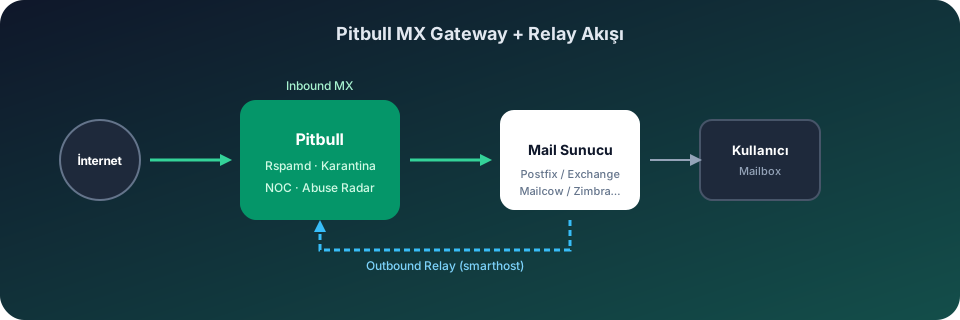
About Us Why Pitbull? Contact Our Data Center Roadmap Compare Privacy Policy Terms of Use Service Level Agreement KVKK Policy GDPR PolicyPitbull solves mail security on this platform with the MX gateway model.

Sendmail default spam protection is insufficient against advanced phishing and BEC attacks.
Without relay configuration, outbound spam and abuse detection is delayed; IP reputation drops.
Hard to monitor traffic, quarantine and reject reasons from one point.
Managing SPF/DKIM/DMARC and quarantine policies per server increases error risk.
In environments using Sendmail, Pitbull integration works on two channels:
Sendmail relay is configured in /etc/mail/sendmail.mc with define(`SMART_HOST', `relay.pitbull.com.tr')dnl. Recompile with m4 sendmail.mc > sendmail.cf and restart the service. Use /etc/mail/mailertable for per-domain routing.
To route outbound traffic to the Pitbull relay on Sendmail:
# /etc/mail/sendmail.mc
define(`SMART_HOST', `relay.pitbull.com.tr')dnl
define(`RELAY_MAILER_ARGS', `TCP $h 587')dnl
FEATURE(`authinfo')dnl
# Compile and restart
m4 sendmail.mc > /etc/mail/sendmail.cf
systemctl restart sendmailThis configuration passes outbound traffic through the Pitbull outbound filtering engine. SMTP Abuse Radar, per-tenant rate limits and Emergency Outbound Lockdown are activated.
Monitor delivery rates, reject reasons, queue status and GeoIP/ASN distribution on NOC screens. Deliver periodic security summaries to management teams with executive PDF reports.
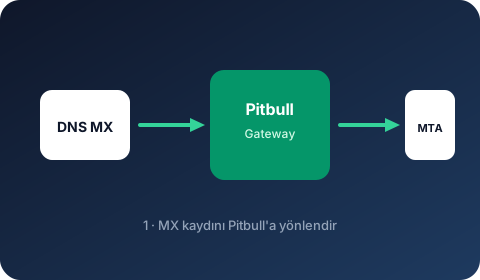
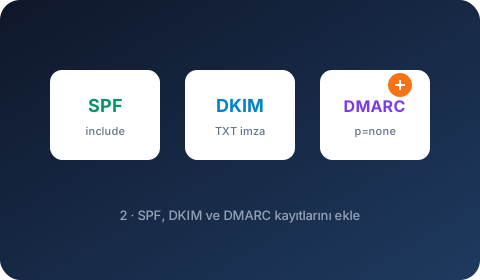
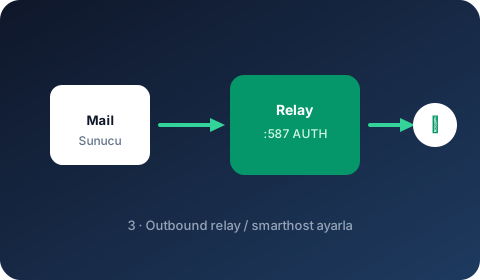
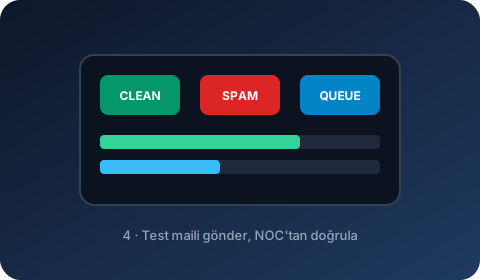
Pitbull integration on this platform is completed in 4 visual steps.
Point DNS MX to the Pitbull gateway address.
Add authentication DNS records.
Set Pitbull relay as smarthost / relayhost.
Send a test email and verify in the NOC panel.