MX gateway and outbound smarthost integration on Enhance servers

Pitbull MX gateway for Postfix-based mail on Enhance (Commercial): inbound filtering, quarantine, outbound relay and NOC visibility. Offload server-side antispam to the cloud.

Enhance · MX Gateway Inbound + Outbound
Inbound MX ROUTED
Filter engine RSPAMD
Quarantine 8
Outbound relay AKTİF
Enhance Postfix MX Gateway Quarantine NOC
3-5 min
MX setup
Postfix
Native MTA
Commercial
Panel type
KVKK
Local processing

Integration challenges

Pitbull solves mail security on this platform with the MX gateway model.

Panel antispam load

SpamAssassin/Rspamd scanning on Enhance servers consumes CPU and RAM; offload is essential.

Outbound abuse risk

A single tenant can affect delivery for entire shared hosting IP blocks.

Scattered DNS management

Manually tracking MX, SPF and DKIM for hundreds of domains is error-prone.

Missing central visibility

Hard to monitor traffic, quarantine and reject reasons in one NOC outside the panel.

Pitbull MX gateway model for Enhance

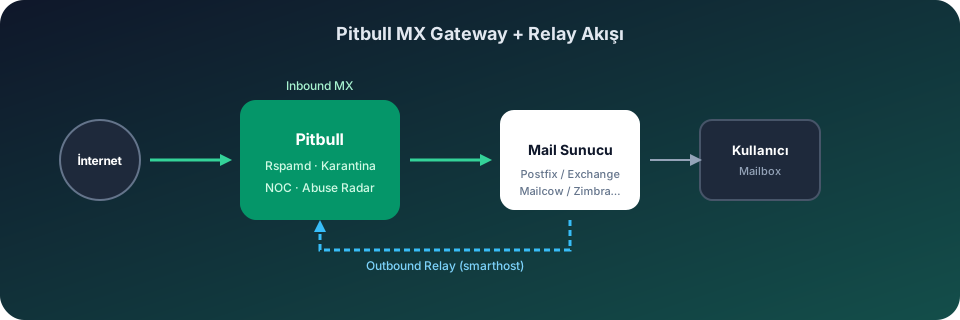
On Enhance hosting panels, mail traffic is typically handled via Postfix. Pitbull integration requires no extra agent — point MX records to the gateway address and optionally route outbound via smarthost/relayhost through Pitbull.

Inbound: MX routing

  • Point MX records to the Pitbull gateway via Enhance DNS management or external DNS panel
  • Rspamd-based spam, phishing and malware filtering at the gateway layer
  • Suspicious messages isolated in quarantine with score and SPF/DKIM/DMARC breakdown
  • Malicious attachment scanning via ClamAV / Avast REST

Outbound: smarthost / relay

Route outbound traffic to the Pitbull relay via Postfix smarthost or relayhost settings. Protect shared IP reputation with per-tenant outbound monitoring, SMTP Abuse Radar and Emergency Outbound Lockdown.

Hosting operations

End-to-end mail security for hosting providers on Enhance with WHMCS billing, self-service customer portal, executive PDF reports and KVKK-compliant Turkey Tier III data processing.

Illustrated setup guide

Pitbull integration on this platform is completed in 4 visual steps.

Gateway flow diagram
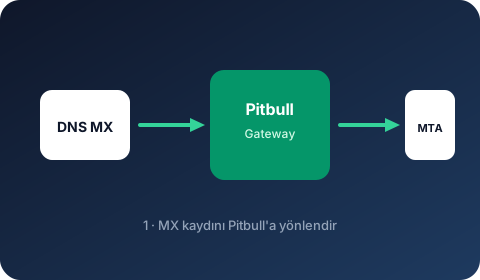
MX Gateway
1

MX Gateway

Point DNS MX to the Pitbull gateway address.

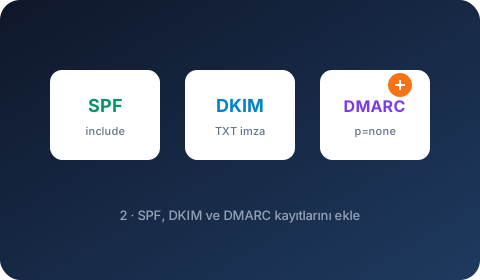
SPF · DKIM · DMARC
2

SPF · DKIM · DMARC

Add authentication DNS records.

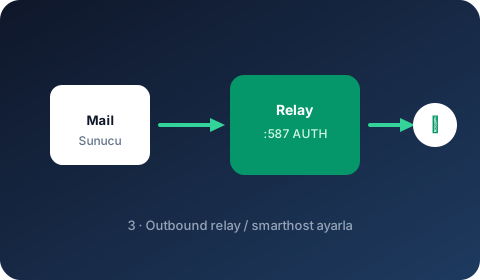
Outbound Relay
3

Outbound Relay

Set Pitbull relay as smarthost / relayhost.

NOC Verification
4

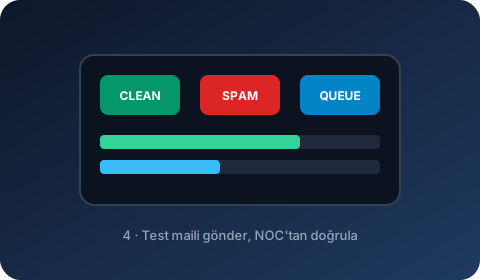
NOC Verification

Send a test email and verify in the NOC panel.

Setup steps

  1. 1 Point MX records to the Pitbull gateway via Enhance DNS or external panel.
  2. 2 Add Pitbull include to SPF without breaking existing records.
  3. 3 Add the domain in Pitbull panel; publish DKIM TXT to DNS.
  4. 4 Route outbound via Postfix smarthost/relayhost to the Pitbull relay address.
  5. 5 Send a test email and verify inbound/outbound traffic in the NOC panel.