Products
Pitbull Secure Gateway Advanced Threat & Quarantine Outbound Filtering Smarthost SMTP Relay Features Release Notes Platform Security AnalysisSolutions
Hosting & ISP Banks & Financial Services Universities & Education ESP & High Volume Enterprise IT MSP & Reseller All Solutions CompatibilityCompany
About Us Why Pitbull? Contact Our Data Center Roadmap Compare Privacy Policy Terms of Use Service Level Agreement KVKK Policy GDPR PolicyPitbull solves mail security on this platform with the MX gateway model.

SpamAssassin/Rspamd scanning on cPanel servers consumes CPU and RAM; offload is essential.
A single tenant can affect delivery for entire shared hosting IP blocks.
Manually tracking MX, SPF and DKIM for hundreds of domains is error-prone.
Hard to monitor traffic, quarantine and reject reasons in one NOC outside the panel.
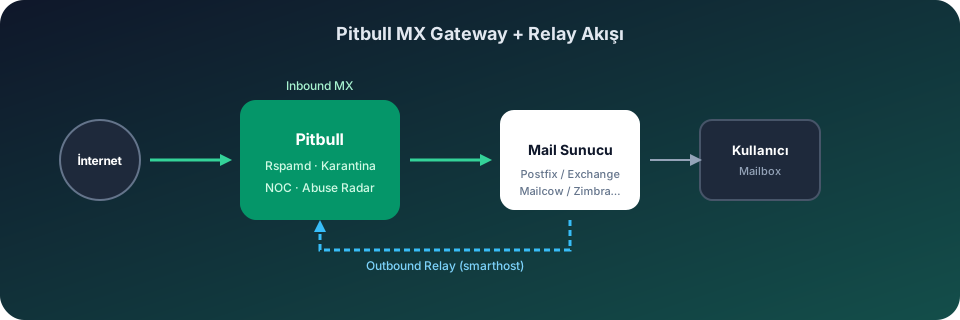
On cPanel hosting panels, mail traffic is typically handled via Exim. Pitbull integration requires no extra agent — point MX records to the gateway address and optionally route outbound via smarthost/relayhost through Pitbull.
Route outbound traffic to the Pitbull relay via Exim smarthost or relayhost settings. Protect shared IP reputation with per-tenant outbound monitoring, SMTP Abuse Radar and Emergency Outbound Lockdown.
End-to-end mail security for hosting providers on cPanel with WHMCS billing, self-service customer portal, executive PDF reports and KVKK-compliant Turkey Tier III data processing.
Outbound relay and MX routing steps
Configure smarthost via WHM → Exim Configuration Manager → Advanced Editor or /etc/exim.conf:
relay.pitbull.com.tr587, enable TLS and SMTP AUTHManual config (/etc/exim.conf.localopts):
@ROUTERSTART@
pitbull_smarthost:
driver = manualroute
domains = ! +local_domains
transport = remote_smtp
route_list = * [relay.pitbull.com.tr]
port = 587
hosts_require_auth = *
hosts_require_tls = *
/etc/exim/passwd.client:
*:relay.pitbull.com.tr:smtp-user@domain.com:password
Run /scripts/buildeximconf and reload Exim.
Set domain MX record to mx.pitbull.com.tr (priority 10).
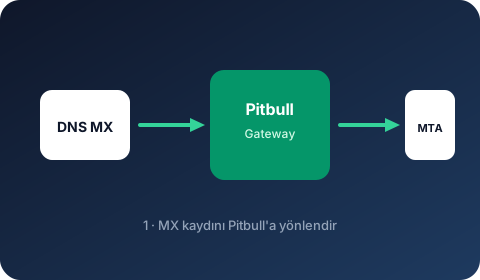
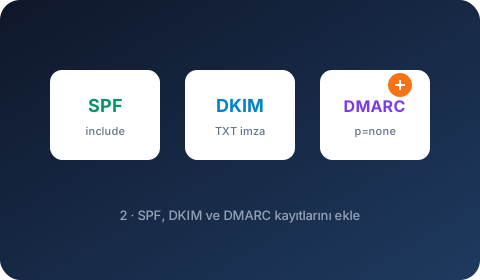
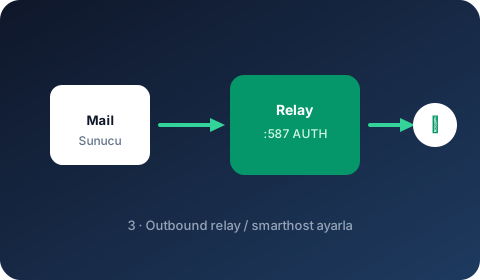
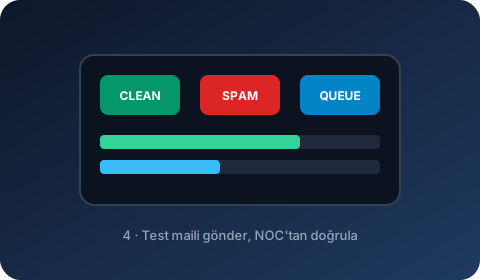
Pitbull integration on this platform is completed in 4 visual steps.
Point DNS MX to the Pitbull gateway address.
Add authentication DNS records.
Set Pitbull relay as smarthost / relayhost.
Send a test email and verify in the NOC panel.